
Text formatting looks simple until you paste a paragraph from one app into another and suddenly everything is in ALL CAPS, every word is capitalized, or your headline looks inconsistent. A text case formatting guide helps you decide when to use uppercase, lowercase, sentence case, title case, and other formats so your writing looks clean, readable, and professional.
Whether you are writing a blog title, editing product descriptions, preparing social media captions, cleaning spreadsheet data, or fixing copied text, the right case style can make your content easier to read. A tool to convert text case can speed up the process, but it still helps to understand which format is right for each situation.
What Is Text Case Formatting?
Text case formatting is the way uppercase and lowercase letters are arranged in a piece of text. It controls whether text appears as all capitals, all lowercase, sentence-style capitalization, title-style capitalization, or another pattern.
Examples:
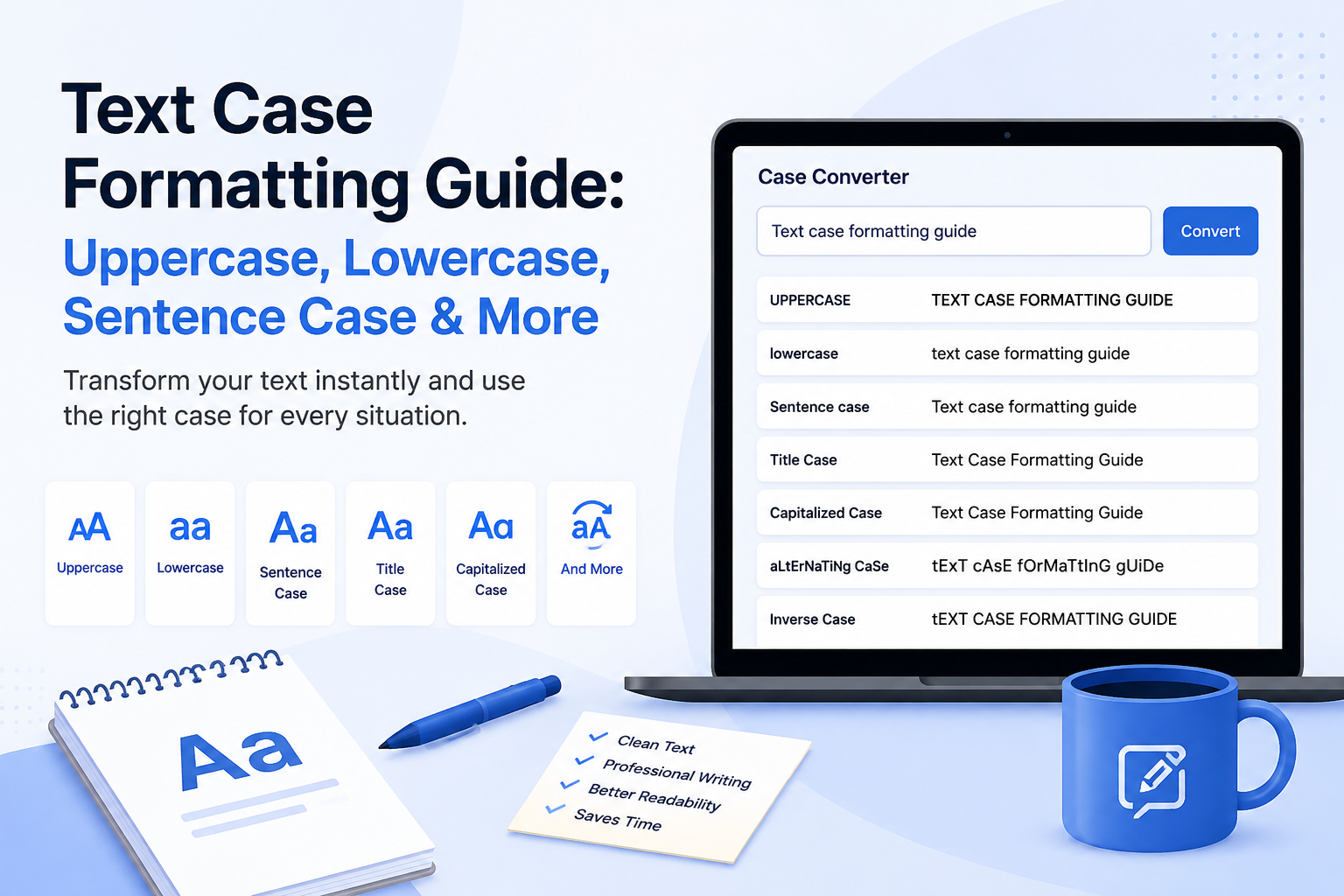
- uppercase: TEXT CASE FORMATTING GUIDE
- lowercase: text case formatting guide
- sentence case: Text case formatting guide
- title case: Text Case Formatting Guide
- capitalized case: Text Case Formatting Guide
- alternating case: tExT cAsE fOrMaTtInG gUiDe
Text case matters because readers quickly notice inconsistent capitalization. A messy title or paragraph can make good content look rushed. Clean formatting helps content feel organized, especially on websites, emails, documents, ads, and social media posts.
Why Text Case Matters
Text case affects how quickly people understand your message and whether your writing feels polished. Consistent capitalization is especially important when several people edit the same website, document, spreadsheet, or campaign.
- Readability
- Professional appearance
- Brand consistency
- SEO titles and headings
- Social media captions
- Product listings
- Email subject lines
- Spreadsheet and database cleanup
- User interface labels
If you are preparing long content, you can check length and readability with the Word Counter before formatting the final title or headings.
Common Text Case Types Explained
Uppercase
Uppercase turns every letter into a capital letter.
Example: PLEASE REVIEW THIS DOCUMENT
Best for short labels, warnings, buttons, acronyms, abbreviations, and strong emphasis. Avoid using uppercase for long paragraphs because it can feel loud and harder to read.
Lowercase
Lowercase converts all letters into small letters.
Example: please review this document
Best for casual writing, usernames, hashtags, tags, minimal design styles, and cleaning text before applying another format.
Sentence Case
Sentence case capitalizes the first word of a sentence or heading while keeping most other words lowercase, except proper nouns.
Example: How to format text correctly
Best for blog section headings, UI text, help articles, descriptions, app screens, and casual but professional writing. For a focused comparison, read our guide to title case vs sentence case. For sentence clarity during revision, see passive voice vs active voice.
Title Case
Title case capitalizes the main words in a title or headline.
Example: How to Format Text Correctly
Best for blog titles, article headlines, book titles, course names, formal page headings, and marketing headlines. Different style guides may handle small words differently, so follow your own brand or publication rules when needed; our title capitalization rules guide compares the major systems.
Capitalized Case
Capitalized case makes the first letter of every word uppercase.
Example: How To Format Text Correctly
Best for names, labels, simple headings, lists, and text cleanup when every word needs an initial capital. It is not always the same as formal title case because it may capitalize smaller words too.
Alternating Case and Inverse Case
Alternating case switches between uppercase and lowercase letters, such as hOw To FoRmAt TeXt CoRrEcTlY. Inverse case flips uppercase letters to lowercase and lowercase letters to uppercase, turning Text Case Guide into tEXT cASE gUIDE.
Use these formats for memes, creative captions, informal social posts, stylized usernames, fixing accidentally inverted text, or testing text transformations. Do not use them for professional documents.
Text Case Comparison Table
Text Case Comparison
| Case type | Example | Best use | Avoid when |
|---|---|---|---|
| Uppercase | TEXT CASE GUIDE | Alerts, labels, acronyms | Long paragraphs |
| Lowercase | text case guide | Tags, usernames, casual style | Formal names or titles |
| Sentence case | Text case guide | UI text, descriptions, readable headings | Formal title formatting is required |
| Title Case | Text Case Guide | Headlines, blog titles, formal titles | Casual interface text |
| Capitalized Case | Text Case Guide | Names, labels, simple headings | Style guide requires lowercase small words |
| Alternating Case | tExT cAsE gUiDe | Fun/social formatting | Professional writing |
| Inverse Case | tEXT cASE gUIDE | Fixing or flipping text | Normal publishing |
When Should You Use Each Text Case?
For blog titles and SEO headings
Use title case or sentence case depending on the website style. Title case can feel more polished for main titles, while sentence case often feels cleaner for section headings. For publishing-focused titles, see capitalization rules for titles.
After formatting a title, use the Case Converter to quickly switch between title case, sentence case, uppercase, and lowercase.
For blog and search snippets, a quick headline capitalization review can help keep titles polished.
For social media captions
Sentence case is usually best for normal captions. Uppercase can be used for short emphasis, but too much uppercase can feel aggressive. Creative formats like alternating case, upside down text, or small text should be used carefully for style, not for important information.
For creative captions, try the Small Text Generator or Upside Down Text Generator.
For emails and documents
Use sentence case for natural readability. Use title case for formal headings, report titles, and presentation slide titles.
In academic documents, check APA title capitalization when your instructor requires psychology, education, or social science formatting.
For humanities papers and Works Cited entries, compare those choices with MLA title capitalization.
For product listings and ecommerce
Use consistent title case or capitalized case for product names, depending on brand style. Keep product descriptions in sentence case for readability.
For developers and data cleanup
Use lowercase or capitalized case when cleaning labels, tags, exported data, form entries, or spreadsheet content. For reversed or pasted text issues, use the Reverse Text Generator.
How to Use a Case Converter Effectively
A case converter is fastest when you follow a simple review workflow instead of converting and publishing immediately.
1. Paste your text
Paste the messy text into the Case Converter.
2. Choose the format
Select uppercase, lowercase, sentence case, title case, capitalized case, alternating case, or inverse case.
3. Review names and acronyms
Check proper nouns, brand names, abbreviations, and acronyms manually.
4. Copy the clean result
Copy the formatted result and paste it into your document, website, email, or social post.
5. Check related formatting
If needed, use the Word Counter for length checks, Small Text Generator for creative text, or Reverse Text Generator for text order fixes.
Common Text Case Mistakes to Avoid
- Using uppercase for long paragraphs
- Mixing title case and sentence case randomly on the same page
- Forgetting to fix names after automatic conversion
- Capitalizing every small word when a strict style guide says not to
- Using creative case formats in professional content
- Forgetting to check acronyms like SEO, HTML, USA, API, or FAQ
- Pasting formatted text without checking spacing and punctuation
Best Practices for Clean Text Formatting
SEO Tip
Consistent capitalization improves how users scan your page titles, headings, and snippets. It does not replace good content, but it helps your content look cleaner and more trustworthy.
- Pick one heading style for your website.
- Use title case for main titles if your brand feels formal.
- Use sentence case for body headings if you want readability.
- Keep button labels short and clear.
- Use uppercase only for short labels or acronyms.
- Keep social media styling readable.
- Always proofread automatic conversions.
- Save a simple style guide for your team.
Related Tools for Better Text Formatting
Text case is only one part of text cleanup. These related tools can help you check length, style social text, reverse copied text, or create creative formatting for social platforms.
Case Converter
Change text case between uppercase, lowercase, sentence case, title case, alternating case, and more.
Word Counter
Check words, characters, reading time, and keyword density before publishing formatted text.
Small Text Generator
Create small caps, superscript, subscript, bubble text, and gothic text for creative formatting.
Reverse Text Generator
Reverse letters, words, or sentences when pasted text needs a different order.
Upside Down Text Generator
Flip text upside down for informal captions, profile bios, and creative posts.
Final Thoughts
Text case formatting is a small detail that makes a big difference. Uppercase, lowercase, sentence case, title case, and capitalized case all have different uses. The best format depends on where the text will appear and how formal it needs to feel.
For everyday writing, sentence case is usually the safest option. For headlines and polished article titles, title case works well. For quick cleanup, a Case Converter saves time and helps keep formatting consistent across documents, websites, product listings, and social media content.
If you want to keep improving your workflow, read How to Use a Word Counter Effectively and combine text formatting with length, readability, and internal-link checks.